What is your developer-dependent CMS actually costing you? Calculate your costs and get a full report


Authentication
Multi-Factor Authentication
Enforce multi-factor authentication for every user in your organization, enrol with an authenticator app, and recover access with a recovery code.
Multi-factor authentication (MFA) asks a user for a second proof of identity, a one-time code from an authenticator app, as well as their password. A stolen password alone is then not enough to sign in.
MFA is enforced at the organization level, for every user who has access to that organization, across all of its instances.
Enforcing MFA requires a Pro or Enterprise plan.
MFA and single sign-on
Agility's MFA applies to email and password sign-in. If your users sign in through Enterprise SSO, your identity provider enforces MFA under your own policies, and Agility's MFA isn't used.
Enforcing MFA for your organization
To turn on MFA enforcement, contact support@agilitycms.com. It isn't available as a setting in the Content Manager yet. Managing it yourself is on our roadmap: vote for it.
Also ask us to turn off the Google, Microsoft and GitHub sign-ins for your organization. If they stay on, a user can sign in with a social account whose verified email matches their Agility account, and skip MFA.
Once MFA is enforced, users are asked to enrol the next time they sign in, and can't sign in until they've done so. See User Authentication for the other sign-in settings.
Enrolling in MFA
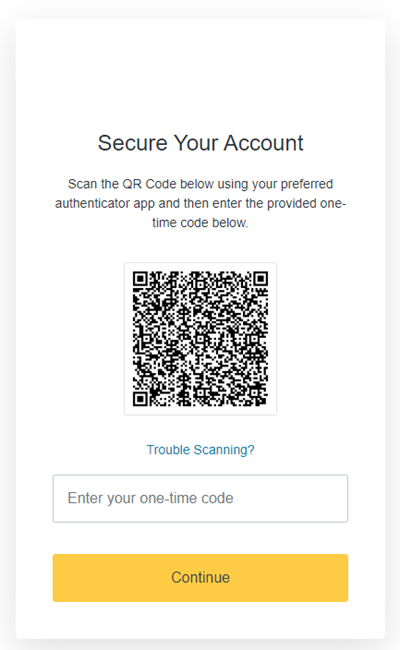
When you're prompted to enrol, scan the QR code with an authenticator app on your phone, then enter the code it shows to complete the setup.
These authenticator apps are tested and supported:
Need another app? Contact support@agilitycms.com.
Save your recovery code
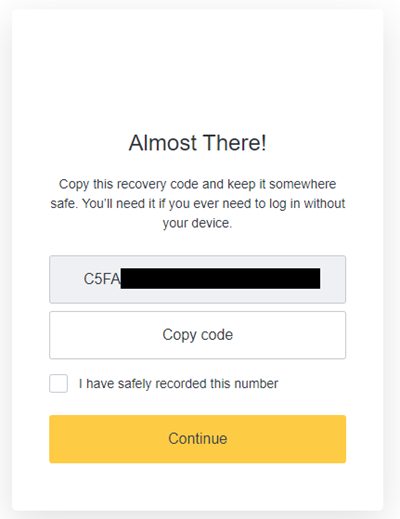
After enrolling, you're shown a recovery code. Use it to sign in and reset your enrolment if you lose your phone or your authenticator app. Store it somewhere safe.
Signing in with MFA
After your password, you're asked for a one-time code. Open your authenticator app and enter the current code.
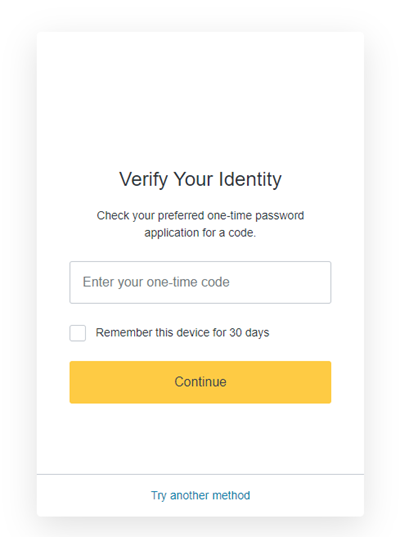
On a trusted device, you can tick Remember this device for 30 days so you aren't asked for a code every time.
If you can't provide a code
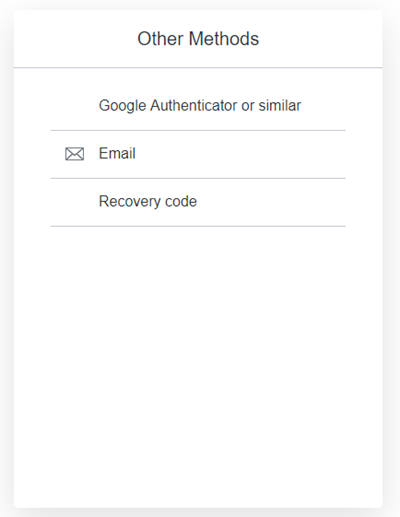
If you've lost your phone or removed the authenticator app, choose another method on the code prompt.
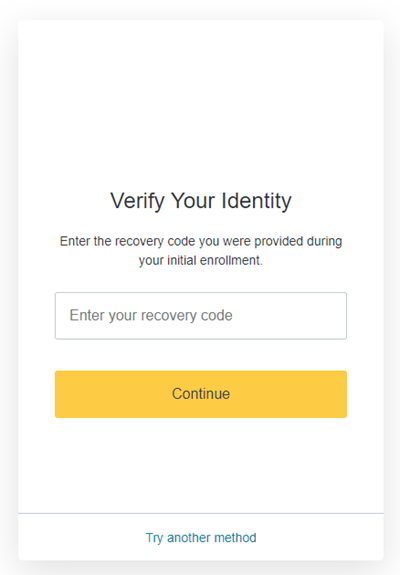
Use your recovery code
Enter the recovery code you saved when you enrolled. You're signed in and given a new recovery code. Store the new one.
Still can't sign in?
Contact support@agilitycms.com. We'll verify your identity and reset your MFA enrolment.
On this page